the ultimate supercapacitor mod for your calculator
posted: August 10, 2025
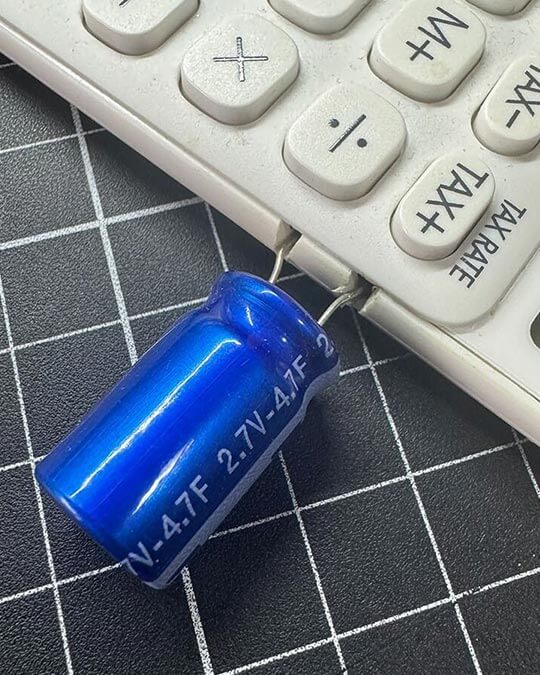
Meet my Casio SL-310UC, now supercharged with a 4.7F (yes, Farad!) supercapacitor that keeps it running for days without light. Most calculators use a tiny 4.7µF capacitor—ours is 1 million times the storage capacity (4.7F = 4,700,000µF). It’s insane, it’s geeky, and it’s a game-changer for math nerds and electronics enthusiasts.
Why go big? A regular 4.7µF capacitor stores enough charge for seconds of operation in low light. Our 4.7F supercapacitor stores so much energy, you can crunch numbers in the dark for days. Check out these pics of the mod in action:
Casio SL-310UC with a massive 4.7F supercapacitor soldered on.Close-up: The supercapacitor’s sleek, shiny glory.
Want to build your own? Check our build guide for a step-by-step tutorial and get your calculator running like a beast. Try some math on addition.site to celebrate—type 4.7 * 1000000 = to feel the power of Farads! Share your mod on 𝕏 with #mathgeek #electronics.
build guide: supercapacitor calculator mod
posted: August 10, 2025
Ready to supercharge your calculator like our Casio SL-310UC with a 4.7F supercapacitor? This guide walks you through building a calculator that runs for days in the dark. We’ve included affiliate links to trusted retailers for all components—your purchase supports addition.site at no extra cost!
why it works: A supercapacitor (4.7F) stores 1 million times more charge than a standard 4.7µF capacitor, giving your calculator epic battery-free runtime. Here’s how to do it:
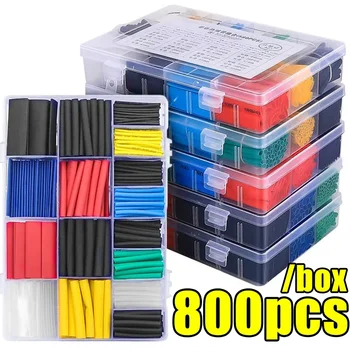
Stay Safe!You don't want to short a supercapacitor. So keep those legs away from each other. I recommend some heat shrink tubing below, heat shrink around one or both legs for extra short-circuit safety.
what you need:
Casio SL-310UC Calculator, I get mine in Australia from Officeworks. The ones on Amazon look way overpriced.)
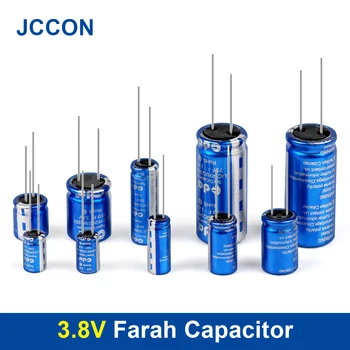
Supercapacitor. For your super capacitor, my choice is AliExpress. You want something in a relatively small package, but also a little eye catching at the same time. I like the shiny blue look matched with the white calculator. You want a thin package so that super cap doesn't lift the calculator off the desk. At the time of writing this store has a 3.8V 20F capacitor going for $4.29 AUD plus about $5.00 shipping. It's in a nice small package 8x13mm so it'll look great hanging out the side of your calculator. If you're browsing, make sure you get a super capacitor 1F, 2F, 10F, 20F etc. Nothing UF! the U stands for micro with is 1 millionth of. 3.8V 20F capacitor
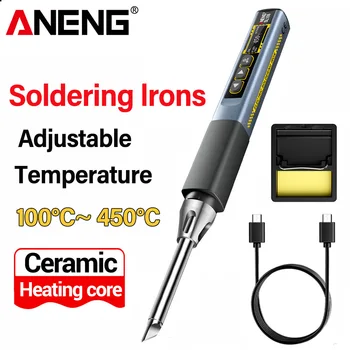
Soldering Iron: For a cheap, reliable soldering iron, at the moment I'd recommend the ANENG SL108. It's a great unit at a great price. If you don't have a reliable soldering iron, and want to start, try this.
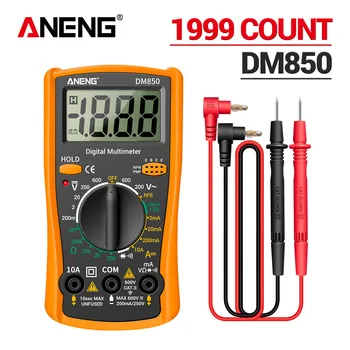
Multimeter: This will come in handy. If you don't have one, this is a steal. The ANENG DM850. It's basic, and it's a bargain. Buy 10 and literally give them away, at the time of writing this one costs $6.39 AUD. Not sure if that will go up, or down. But it's a great unit at a bargain price. Get it here: ANENG DM850
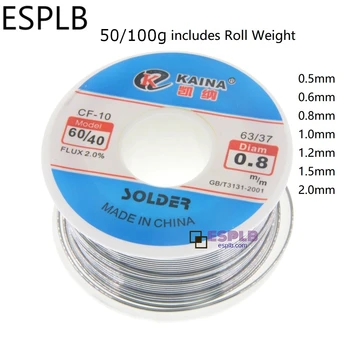
Solder Wire: You'll need some solder to put the cap in. Anything less than 1mm with a resin core, and lead free is a good choice: This is perfect.
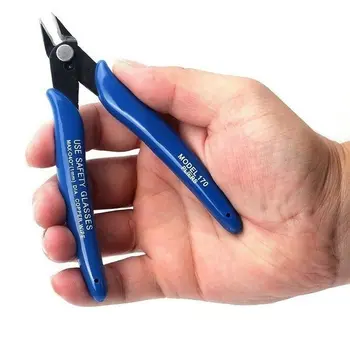
Wire Cutters: I don't specifically recommend wire cutters. These universal pliers are the bomb.
Safety: Heat Shrink Tubing If you don't have any heat shrink. You'll need some. I recommend the 540 pcs that comes in a box. You can literally use this stuff anywhere. Heat Shrink Link.
steps:
Open your calculator (unscrew or carefully pry open).
Locate the solar cell wires (usually red and black).
Solder the supercapacitor across the solar cell terminals (positive to positive, negative to negative).
Secure the supercapacitor with tape or glue for stability.
Optional: Add heat shrink tubing for a polished look.
Close the calculator and test in low light—watch it run for days!
safety: Ensure the supercapacitor’s voltage rating (≤5.5V) matches your calculator’s needs. Avoid short circuits and use caution with soldering. Got questions? Email us at calc-app@zohomail.com.au or DM @AdditionSite on 𝕏.
Once it’s built, test your math skills on addition.site or try our tip calculator for quick restaurant math. Share your mod on 𝕏 with #mathgeek #electronics.
supercharge your solar calculator with capacitors
posted: August 9, 2025
Want to make your handheld solar calculator work in dim light and scream “math geek meets electronics nerd”? Solder a capacitor across its solar cell! Here’s how: a capacitor stores charge, keeping your calculator running longer. For the ultimate upgrade, check our 4.7F supercapacitor mod. Try your math on addition.site and share your hacks on 𝕏 with #mathgeek #electronics.
5 fun calculator tricks
posted: August 8, 2025
Try these on addition.site: type 839840400 √ ÷ 420 = to get 69. Or input 5318008, then turn your screen upside down for a surprise! Our calculator makes math fun and easy. Want more hacks? Check our supercapacitor mod or share your tricks on 𝕏.
why learn mental math?
posted: August 7, 2025
Mental math sharpens your brain. Practice quick additions like 23 + 47 or estimate square roots to impress friends. Use addition.site to check your work or try our tip calculator for real-world math. Share your skills on 𝕏!
calculator history 101
posted: August 6, 2025
From the abacus to our online tool, calculators have evolved. Try addition.site’s playback feature to see your calculations step-by-step. Curious about hardware hacks? See our supercapacitor mod and join the conversation on 𝕏.